Do you have any questions?

What has changed in Flanders
- Since 1 June 2025, service vouchers in Flanders have become fully electronic.
- New paper service vouchers can no longer be ordered.
- Paper service vouchers purchased before 1 June 2025 can still be used until their expiry date.
This means that your housekeeper’s service visits are now managed digitally through the Pluxee platform, including confirming visits and using electronic service vouchers.
Aaxe Titres-Services and Pluxee: understanding the difference
Many clients think that Aaxe Titres-Services and Pluxee are the same company.
However, they are two separate companies, each with a specific role in the service voucher system.
Aaxe Titres-Services is your service voucher agency.
Our role is to help you organise your home help services.
Pluxee is the company officially responsible for managing the electronic service voucher system in Belgium.
It also handles purchases of paper and electronic service vouchers.

Aaxe takes care of:
- Finding your housekeeper and providing ongoing support.
- Organising the schedule.
- Arranging replacements in the event of an absence.
- Handling the administration of service visits.
- Maintaining contact with clients and housekeepers.
- Answering questions about the work carried out in your home.
Pluxee takes care of:
- Your service voucher account.
- Service voucher purchases.
- Your electronic wallet.
- Service visit confirmations.
- Payments made with service vouchers.
- The mobile app and customer portal.
Tutorial
Log in with itsme
Confirm service visits
Buy service vouchers
Log in with itsme
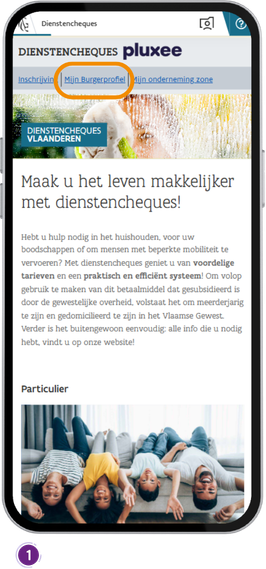
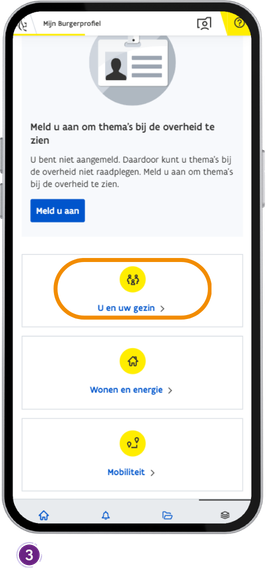
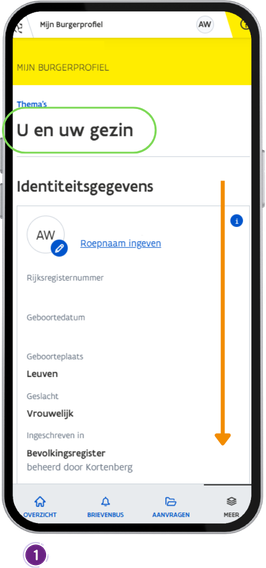
1. Click on “MIJN BURGERPROFIEL“.
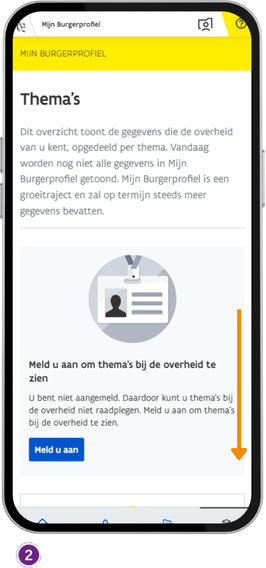
2. Scroll down the page.
3. Click on “U en uw gezin“.
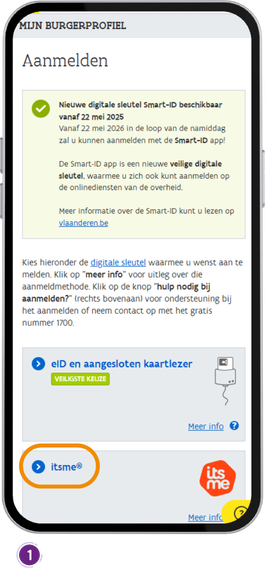
1. Click on “itsme“.
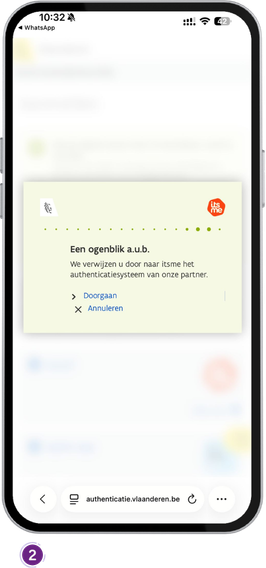
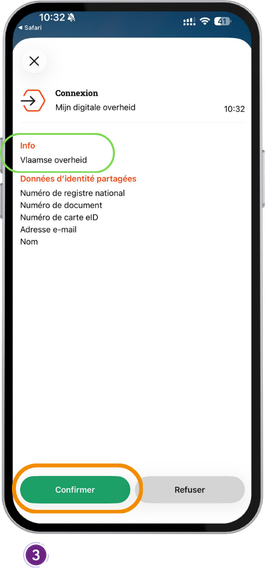
2. Wait for the app to open.
3. Click on “Continue“.
Confirm service visits
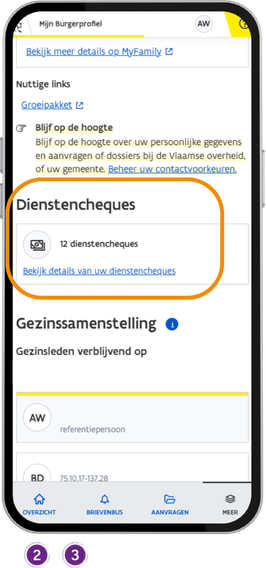
1. Scroll down the page.
2. Find the “Dienstencheques“ section.
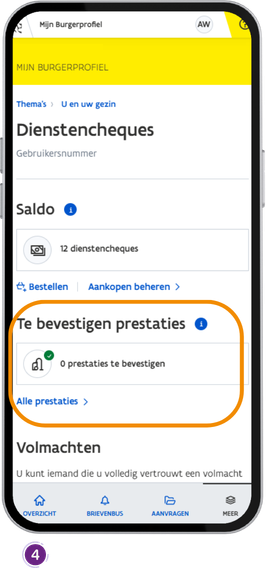
3. Click on “Bekijk details van uw dienstencheques“.
4. Under “Te bevestigen prestaties“, you will find your service visits awaiting confirmation.
Buy service vouchers
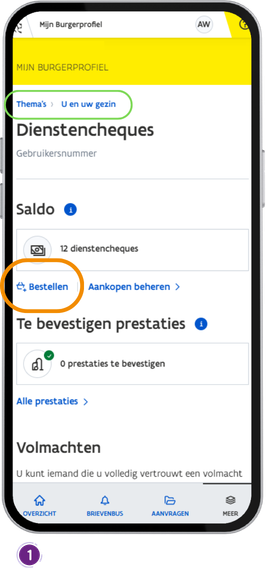
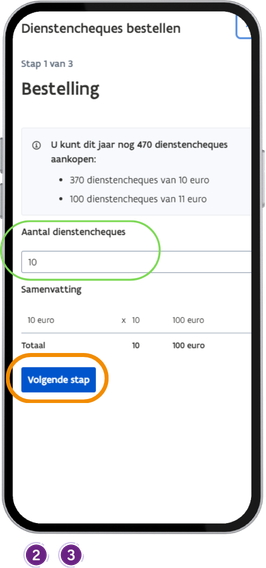
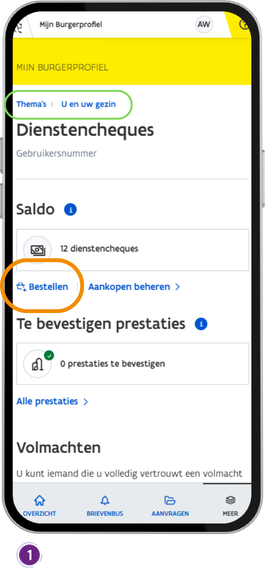
- Click on “Bestellen“.
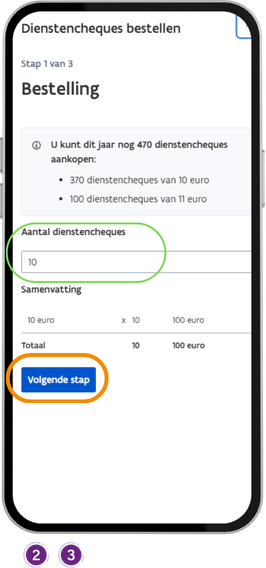
- Enter the number of service vouchers you wish to order.
- Click on “Volgende stap“.
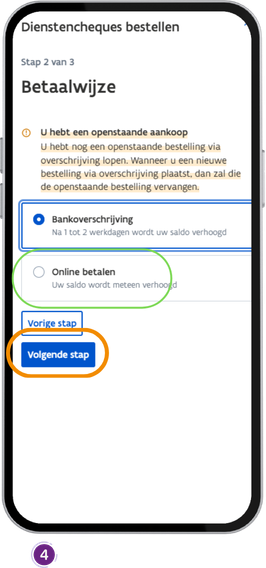
- Select the payment method “ONLINE BETALEN“ and click on “Volgende stap“.
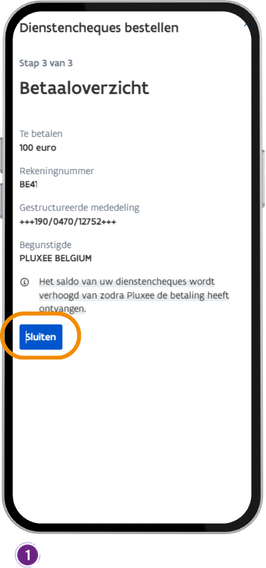
1. Click on “Sluiten“.
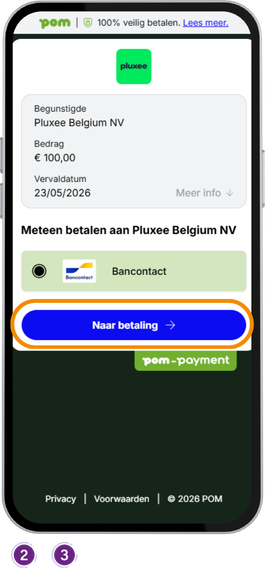
2. Click on “Naar betaling“.
3. Your banking app will then open.
Buy by bank transfer
1. Click on “Bestellen“.
2. Enter the number of service vouchers you wish to order.
3. Click on “Volgende stap“.
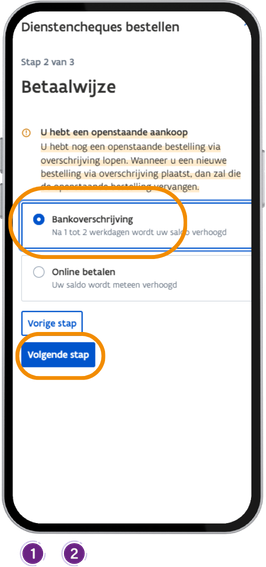
1. Click on “Bankoverschrijving“.
2. Click on “Volgende stap“.
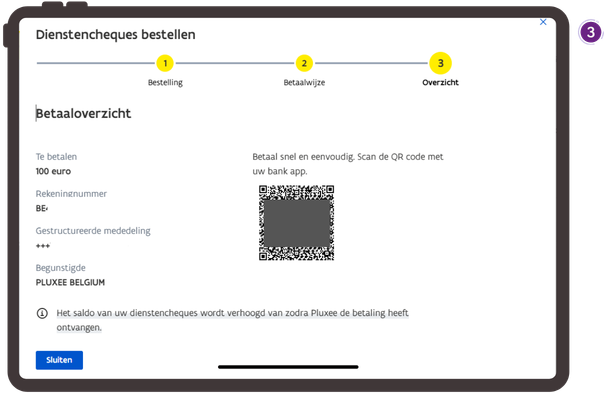
3. The bank transfer details will be displayed.
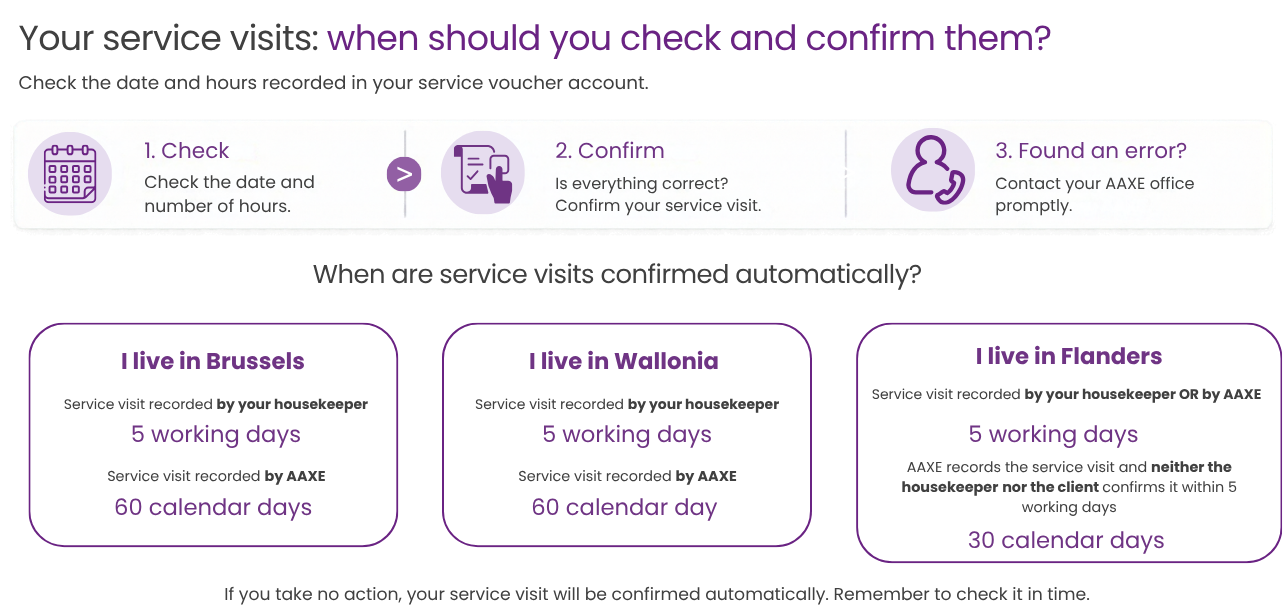
Automatic service visit confirmation timeframes
Depending on the region and who records the service visit.